
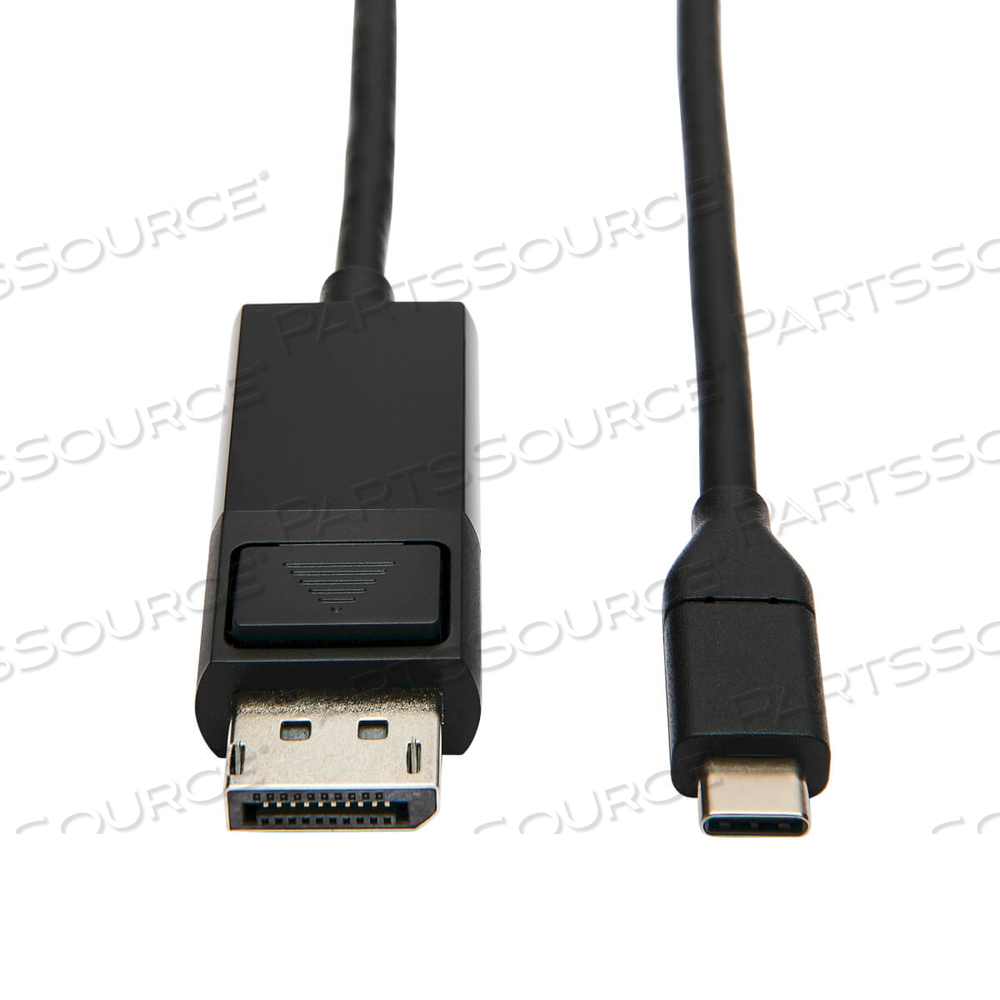
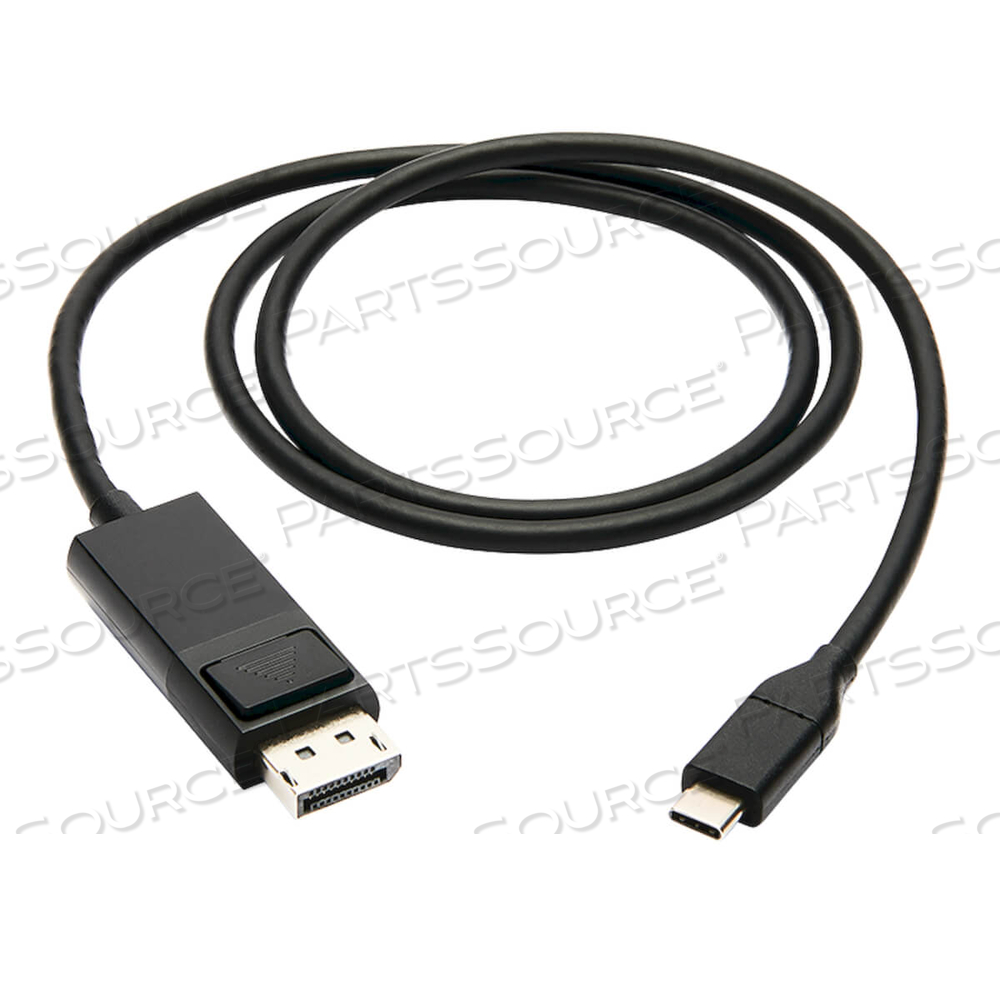
USB C TO DISPLAYPORT ADAPTER CABLE USB 3.1 LOCKING 4K USB-C 3FT by Tripp Lite

OEM#: U444-003-DP-BEUSB C TO DISPLAYPORT ADAPTER CABLE USB 3.1 LOCKING 4K USB-C 3FT by Tripp Lite
1-Year Limited Warranty
USB-C to DisplayPort Adapter Connects to Your Computer’s USB-C or Thunderbolt 3 Port
This USB Type-C to DisplayPort adapter (M/M) connects a DP monitor, projector or television to the USB-C or Thunderbolt 3 port on your desktop computer, tablet, laptop, notebook, MacBook, Chromebook or smartphone. It’s an ideal connector for multitasking, presenting video at trade shows and conferences, editing documents, playing online games and watching 4K movies on a larger screen. No other adapter or cable is needed to complete your 4K connection.
Supports USB-C DisplayPort Alternate Mode for Converting Audio/Video Signals
By connecting the USB-C cable to a source device that supports USB DisplayPort Alt Mode, you can output 4K video and digital audio to a DP monitor, television or projector without installing special software drivers.
Enjoy the Clarity of True 4K Video with Audio and 4:4:4 Color
This 4K DisplayPort cable supports Ultra HD video resolutions up to 3840 x 2160 (4K x 2K) at 60 Hz for crystal-clear picture and sound. It’s compatible with HDCP 2.2 and DisplayPort 1.2 standards for carrying HDR (high dynamic range) signals. It also supports 4:4:4 chroma subsampling for top-level PC gaming or using your HDTV as a PC monitor, as well as 36-bit Deep Color (12 bits per channel). The cable is backward compatible with non-4K displays, so you can use a 1080p monitor if one is available.
Locking DP Connector Helps Prevent Accidental Disconnection and Expensive Downtime
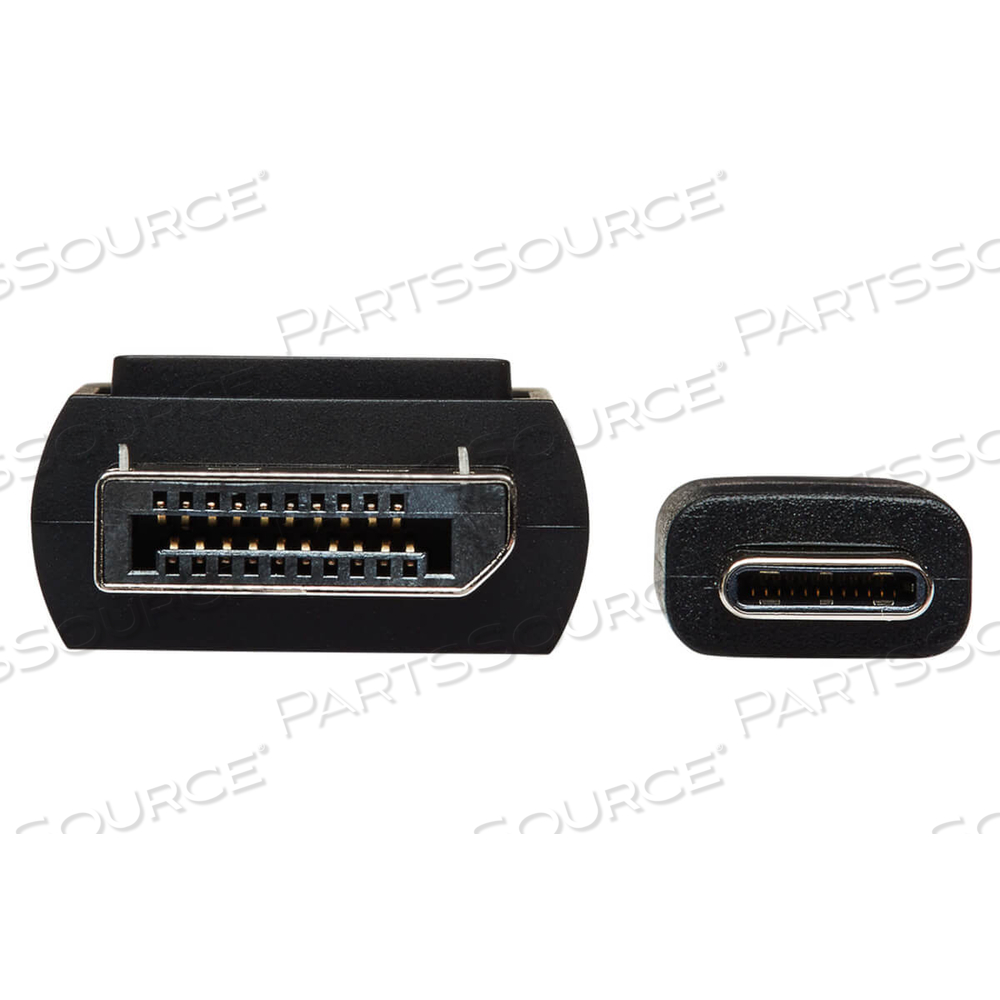
Having a cable come loose accidentally can mean costly and time-consuming signal loss. The locking DisplayPort connector helps you avoid such danger, protecting your audio/video transmission by maintaining a secure link without failure. The locking cable is also invaluable when moving equipment in a rack or removing equipment from tight areas, ensuring the cord always stays connected.
Reversible USB-C Connector Attaches in Either Direction
Unlike traditional USB cables that connect in only one direction, the reversible USB-C male connector plugs into a USB-C or Thunderbolt 3 port in either direction for a fumble-free connection every time.
Ready to Use Right from the Package, So You Can Plug and Play Immediately
The plug-and-play USB Type-C to DisplayPort cable requires no software or external power. Just connect the USB-C plug to the USB-C or Thunderbolt 3 port on a source device that supports USB DisplayPort Alternate Mode, and connect the DP plug to your display. The three-foot USB 3.1 Gen 1 cable is backward compatible with previous USB and DisplayPort generations, so you can use it with legacy equipment.
Typical Applications
• Watch 4K video content from a Blu-ray player, game console, laptop or tablet on 2 Ultra HD televisions or projectors
• Connect a Chromebook or MacBook to a conference table’s A/V box to give a video presentation on large screens
• Attach two 4K monitors to your PC to allow easier multi-tasking
• Play online or PC video games that display optimal graphics
System Requirements
• Source device with USB-C or Thunderbolt 3 port that supports USB DisplayPort Alternate Mode
• Display device with DisplayPort input (DisplayPort 1.2 required to achieve 4K @ 60 Hz)
Package Includes
• U444-003-DP-BE USB-C to DisplayPort Adapter, M/M, Black, 3 ft.
USB-C to DisplayPort Adapter Connects to Your Computer’s USB-C or Thunderbolt 3 Port
This USB Type-C to DisplayPort adapter (M/M) connects a DP monitor, projector or television to the USB-C or Thunderbolt 3 port on your desktop computer, tablet, laptop, notebook, MacBook, Chromebook or smartphone. It’s an ideal connector for multitasking, presenting video at trade shows and conferences, editing documents, playing online games and watching 4K movies on a larger screen. No other adapter or cable is needed to complete your 4K connection.
Supports USB-C DisplayPort Alternate Mode for Converting Audio/Video Signals
By connecting the USB-C cable to a source device that supports USB DisplayPort Alt Mode, you can output 4K video and digital audio to a DP monitor, television or projector without installing special software drivers.
Enjoy the Clarity of True 4K Video with Audio and 4:4:4 Color
This 4K DisplayPort cable supports Ultra HD video resolutions up to 3840 x 2160 (4K x 2K) at 60 Hz for crystal-clear picture and sound. It’s compatible with HDCP 2.2 and DisplayPort 1.2 standards for carrying HDR (high dynamic range) signals. It also supports 4:4:4 chroma subsampling for top-level PC gaming or using your HDTV as a PC monitor, as well as 36-bit Deep Color (12 bits per channel). The cable is backward compatible with non-4K displays, so you can use a 1080p monitor if one is available.
Locking DP Connector Helps Prevent Accidental Disconnection and Expensive Downtime
Having a cable come loose accidentally can mean costly and time-consuming signal loss. The locking DisplayPort connector helps you avoid such danger, protecting your audio/video transmission by maintaining a secure link without failure. The locking cable is also invaluable when moving equipment in a rack or removing equipment from tight areas, ensuring the cord always stays connected.
Reversible USB-C Connector Attaches in Either Direction
Unlike traditional USB cables that connect in only one direction, the reversible USB-C male connector plugs into a USB-C or Thunderbolt 3 port in either direction for a fumble-free connection every time.
Ready to Use Right from the Package, So You Can Plug and Play Immediately
The plug-and-play USB Type-C to DisplayPort cable requires no software or external power. Just connect the USB-C plug to the USB-C or Thunderbolt 3 port on a source device that supports USB DisplayPort Alternate Mode, and connect the DP plug to your display. The three-foot USB 3.1 Gen 1 cable is backward compatible with previous USB and DisplayPort generations, so you can use it with legacy equipment.
Typical Applications
• Watch 4K video content from a Blu-ray player, game console, laptop or tablet on 2 Ultra HD televisions or projectors
• Connect a Chromebook or MacBook to a conference table’s A/V box to give a video presentation on large screens
• Attach two 4K monitors to your PC to allow easier multi-tasking
• Play online or PC video games that display optimal graphics
System Requirements
• Source device with USB-C or Thunderbolt 3 port that supports USB DisplayPort Alternate Mode
• Display device with DisplayPort input (DisplayPort 1.2 required to achieve 4K @ 60 Hz)
Package Includes
• U444-003-DP-BE USB-C to DisplayPort Adapter, M/M, Black, 3 ft.
USB-C to DisplayPort Adapter Connects to Your Computer’s USB-C or Thunderbolt 3 Port
This USB Type-C to DisplayPort adapter (M/M) connects a DP monitor, projector or television to the USB-C or Thunderbolt 3 port on your desktop computer, tablet, laptop, notebook, MacBook, Chromebook or smartphone. It’s an ideal connector for multitasking, presenting video at trade shows and conferences, editing documents, playing online games and watching 4K movies on a larger screen. No other adapter or cable is needed to complete your 4K connection.
Supports USB-C DisplayPort Alternate Mode for Converting Audio/Video Signals
By connecting the USB-C cable to a source device that supports USB DisplayPort Alt Mode, you can output 4K video and digital audio to a DP monitor, television or projector without installing special software drivers.
Enjoy the Clarity of True 4K Video with Audio and 4:4:4 Color
This 4K DisplayPort cable supports Ultra HD video resolutions up to 3840 x 2160 (4K x 2K) at 60 Hz for crystal-clear picture and sound. It’s compatible with HDCP 2.2 and DisplayPort 1.2 standards for carrying HDR (high dynamic range) signals. It also supports 4:4:4 chroma subsampling for top-level PC gaming or using your HDTV as a PC monitor, as well as 36-bit Deep Color (12 bits per channel). The cable is backward compatible with non-4K displays, so you can use a 1080p monitor if one is available.
Locking DP Connector Helps Prevent Accidental Disconnection and Expensive Downtime
Having a cable come loose accidentally can mean costly and time-consuming signal loss. The locking DisplayPort connector helps you avoid such danger, protecting your audio/video transmission by maintaining a secure link without failure. The locking cable is also invaluable when moving equipment in a rack or removing equipment from tight areas, ensuring the cord always stays connected.
Reversible USB-C Connector Attaches in Either Direction
Unlike traditional USB cables that connect in only one direction, the reversible USB-C male connector plugs into a USB-C or Thunderbolt 3 port in either direction for a fumble-free connection every time.
Ready to Use Right from the Package, So You Can Plug and Play Immediately
The plug-and-play USB Type-C to DisplayPort cable requires no software or external power. Just connect the USB-C plug to the USB-C or Thunderbolt 3 port on a source device that supports USB DisplayPort Alternate Mode, and connect the DP plug to your display. The three-foot USB 3.1 Gen 1 cable is backward compatible with previous USB and DisplayPort generations, so you can use it with legacy equipment.
Typical Applications
• Watch 4K video content from a Blu-ray player, game console, laptop or tablet on 2 Ultra HD televisions or projectors
• Connect a Chromebook or MacBook to a conference table’s A/V box to give a video presentation on large screens
• Attach two 4K monitors to your PC to allow easier multi-tasking
• Play online or PC video games that display optimal graphics
System Requirements
• Source device with USB-C or Thunderbolt 3 port that supports USB DisplayPort Alternate Mode
• Display device with DisplayPort input (DisplayPort 1.2 required to achieve 4K @ 60 Hz)
Package Includes
• U444-003-DP-BE USB-C to DisplayPort Adapter, M/M, Black, 3 ft.
USB-C to DisplayPort Adapter Connects to Your Computer’s USB-C or Thunderbolt 3 Port
This USB Type-C to DisplayPort adapter (M/M) connects a DP monitor, projector or television to the USB-C or Thunderbolt 3 port on your desktop computer, tablet, laptop, notebook, MacBook, Chromebook or smartphone. It’s an ideal connector for multitasking, presenting video at trade shows and conferences, editing documents, playing online games and watching 4K movies on a larger screen. No other adapter or cable is needed to complete your 4K connection.
Supports USB-C DisplayPort Alternate Mode for Converting Audio/Video Signals
By connecting the USB-C cable to a source device that supports USB DisplayPort Alt Mode, you can output 4K video and digital audio to a DP monitor, television or projector without installing special software drivers.
Enjoy the Clarity of True 4K Video with Audio and 4:4:4 Color
This 4K DisplayPort cable supports Ultra HD video resolutions up to 3840 x 2160 (4K x 2K) at 60 Hz for crystal-clear picture and sound. It’s compatible with HDCP 2.2 and DisplayPort 1.2 standards for carrying HDR (high dynamic range) signals. It also supports 4:4:4 chroma subsampling for top-level PC gaming or using your HDTV as a PC monitor, as well as 36-bit Deep Color (12 bits per channel). The cable is backward compatible with non-4K displays, so you can use a 1080p monitor if one is available.
Locking DP Connector Helps Prevent Accidental Disconnection and Expensive Downtime
Having a cable come loose accidentally can mean costly and time-consuming signal loss. The locking DisplayPort connector helps you avoid such danger, protecting your audio/video transmission by maintaining a secure link without failure. The locking cable is also invaluable when moving equipment in a rack or removing equipment from tight areas, ensuring the cord always stays connected.
Reversible USB-C Connector Attaches in Either Direction
Unlike traditional USB cables that connect in only one direction, the reversible USB-C male connector plugs into a USB-C or Thunderbolt 3 port in either direction for a fumble-free connection every time.
Ready to Use Right from the Package, So You Can Plug and Play Immediately
The plug-and-play USB Type-C to DisplayPort cable requires no software or external power. Just connect the USB-C plug to the USB-C or Thunderbolt 3 port on a source device that supports USB DisplayPort Alternate Mode, and connect the DP plug to your display. The three-foot USB 3.1 Gen 1 cable is backward compatible with previous USB and DisplayPort generations, so you can use it with legacy equipment.
Typical Applications
• Watch 4K video content from a Blu-ray player, game console, laptop or tablet on 2 Ultra HD televisions or projectors
• Connect a Chromebook or MacBook to a conference table’s A/V box to give a video presentation on large screens
• Attach two 4K monitors to your PC to allow easier multi-tasking
• Play online or PC video games that display optimal graphics
System Requirements
• Source device with USB-C or Thunderbolt 3 port that supports USB DisplayPort Alternate Mode
• Display device with DisplayPort input (DisplayPort 1.2 required to achieve 4K @ 60 Hz)
Package Includes
• U444-003-DP-BE USB-C to DisplayPort Adapter, M/M, Black, 3 ft.
USB-C to DisplayPort Adapter Connects to Your Computer’s USB-C or Thunderbolt 3 Port
This USB Type-C to DisplayPort adapter (M/M) connects a DP monitor, projector or television to the USB-C or Thunderbolt 3 port on your desktop computer, tablet, laptop, notebook, MacBook, Chromebook or smartphone. It’s an ideal connector for multitasking, presenting video at trade shows and conferences, editing documents, playing online games and watching 4K movies on a larger screen. No other adapter or cable is needed to complete your 4K connection.
Supports USB-C DisplayPort Alternate Mode for Converting Audio/Video Signals
By connecting the USB-C cable to a source device that supports USB DisplayPort Alt Mode, you can output 4K video and digital audio to a DP monitor, television or projector without installing special software drivers.
Enjoy the Clarity of True 4K Video with Audio and 4:4:4 Color
This 4K DisplayPort cable supports Ultra HD video resolutions up to 3840 x 2160 (4K x 2K) at 60 Hz for crystal-clear picture and sound. It’s compatible with HDCP 2.2 and DisplayPort 1.2 standards for carrying HDR (high dynamic range) signals. It also supports 4:4:4 chroma subsampling for top-level PC gaming or using your HDTV as a PC monitor, as well as 36-bit Deep Color (12 bits per channel). The cable is backward compatible with non-4K displays, so you can use a 1080p monitor if one is available.
Locking DP Connector Helps Prevent Accidental Disconnection and Expensive Downtime
Having a cable come loose accidentally can mean costly and time-consuming signal loss. The locking DisplayPort connector helps you avoid such danger, protecting your audio/video transmission by maintaining a secure link without failure. The locking cable is also invaluable when moving equipment in a rack or removing equipment from tight areas, ensuring the cord always stays connected.
Reversible USB-C Connector Attaches in Either Direction
Unlike traditional USB cables that connect in only one direction, the reversible USB-C male connector plugs into a USB-C or Thunderbolt 3 port in either direction for a fumble-free connection every time.
Ready to Use Right from the Package, So You Can Plug and Play Immediately
The plug-and-play USB Type-C to DisplayPort cable requires no software or external power. Just connect the USB-C plug to the USB-C or Thunderbolt 3 port on a source device that supports USB DisplayPort Alternate Mode, and connect the DP plug to your display. The three-foot USB 3.1 Gen 1 cable is backward compatible with previous USB and DisplayPort generations, so you can use it with legacy equipment.
Typical Applications
• Watch 4K video content from a Blu-ray player, game console, laptop or tablet on 2 Ultra HD televisions or projectors
• Connect a Chromebook or MacBook to a conference table’s A/V box to give a video presentation on large screens
• Attach two 4K monitors to your PC to allow easier multi-tasking
• Play online or PC video games that display optimal graphics
System Requirements
• Source device with USB-C or Thunderbolt 3 port that supports USB DisplayPort Alternate Mode
• Display device with DisplayPort input (DisplayPort 1.2 required to achieve 4K @ 60 Hz)
Package Includes
• U444-003-DP-BE USB-C to DisplayPort Adapter, M/M, Black, 3 ft.
USB-C to DisplayPort Adapter Connects to Your Computer’s USB-C or Thunderbolt 3 Port
This USB Type-C to DisplayPort adapter (M/M) connects a DP monitor, projector or television to the USB-C or Thunderbolt 3 port on your desktop computer, tablet, laptop, notebook, MacBook, Chromebook or smartphone. It’s an ideal connector for multitasking, presenting video at trade shows and conferences, editing documents, playing online games and watching 4K movies on a larger screen. No other adapter or cable is needed to complete your 4K connection.
Supports USB-C DisplayPort Alternate Mode for Converting Audio/Video Signals
By connecting the USB-C cable to a source device that supports USB DisplayPort Alt Mode, you can output 4K video and digital audio to a DP monitor, television or projector without installing special software drivers.
Enjoy the Clarity of True 4K Video with Audio and 4:4:4 Color
This 4K DisplayPort cable supports Ultra HD video resolutions up to 3840 x 2160 (4K x 2K) at 60 Hz for crystal-clear picture and sound. It’s compatible with HDCP 2.2 and DisplayPort 1.2 standards for carrying HDR (high dynamic range) signals. It also supports 4:4:4 chroma subsampling for top-level PC gaming or using your HDTV as a PC monitor, as well as 36-bit Deep Color (12 bits per channel). The cable is backward compatible with non-4K displays, so you can use a 1080p monitor if one is available.
Locking DP Connector Helps Prevent Accidental Disconnection and Expensive Downtime
Having a cable come loose accidentally can mean costly and time-consuming signal loss. The locking DisplayPort connector helps you avoid such danger, protecting your audio/video transmission by maintaining a secure link without failure. The locking cable is also invaluable when moving equipment in a rack or removing equipment from tight areas, ensuring the cord always stays connected.
Reversible USB-C Connector Attaches in Either Direction
Unlike traditional USB cables that connect in only one direction, the reversible USB-C male connector plugs into a USB-C or Thunderbolt 3 port in either direction for a fumble-free connection every time.
Ready to Use Right from the Package, So You Can Plug and Play Immediately
The plug-and-play USB Type-C to DisplayPort cable requires no software or external power. Just connect the USB-C plug to the USB-C or Thunderbolt 3 port on a source device that supports USB DisplayPort Alternate Mode, and connect the DP plug to your display. The three-foot USB 3.1 Gen 1 cable is backward compatible with previous USB and DisplayPort generations, so you can use it with legacy equipment.
Typical Applications
• Watch 4K video content from a Blu-ray player, game console, laptop or tablet on 2 Ultra HD televisions or projectors
• Connect a Chromebook or MacBook to a conference table’s A/V box to give a video presentation on large screens
• Attach two 4K monitors to your PC to allow easier multi-tasking
• Play online or PC video games that display optimal graphics
System Requirements
• Source device with USB-C or Thunderbolt 3 port that supports USB DisplayPort Alternate Mode
• Display device with DisplayPort input (DisplayPort 1.2 required to achieve 4K @ 60 Hz)
Package Includes
• U444-003-DP-BE USB-C to DisplayPort Adapter, M/M, Black, 3 ft.