
Repair
CHARGER, CHARGER
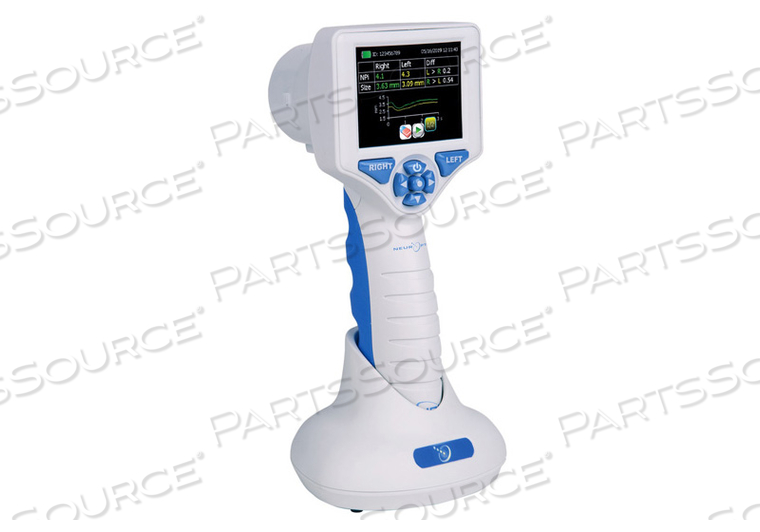
CHARGER, CHARGER
Product Overview
Connect the NPi-200 Pupillometer Power Supply to the NPi-200 Charging Station and plug into a power outlet. The green light at the base of the Charging Station will indicate power has been established.Place the NPi-200 into its Charging Station. After powering on, the touchscreen will display a blue battery icon indicating the NPi-200 is charging. The battery icon will turn green when fully charged.
Technical Specs
P/N: NPI-200-CHG Key Specs
Item
CHARGER, CHARGER
OEM
Neuroptics Inc.
OEM #
NPI-200-CHG
Returnable
No
Warranty
Product Type
Pupillometer Charger
Connect the NPi-200 Pupillometer Power Supply to the NPi-200 Charging Station and plug into a power outlet. The green light at the base of the Charging Station will indicate power has been established.Place the NPi-200 into its Charging Station. After powering on, the touchscreen will display a blue battery icon indicating the NPi-200 is charging. The battery icon will turn green when fully charged.
Product Overview
Connect the NPi-200 Pupillometer Power Supply to the NPi-200 Charging Station and plug into a power outlet. The green light at the base of the Charging Station will indicate power has been established.Place the NPi-200 into its Charging Station. After powering on, the touchscreen will display a blue battery icon indicating the NPi-200 is charging. The battery icon will turn green when fully charged.
Technical Specs
P/N: NPI-200-CHG Key Specs
Item
CHARGER, CHARGER
OEM
Neuroptics Inc.
OEM #
NPI-200-CHG
Returnable
No
Warranty
Product Type
Pupillometer Charger
Connect the NPi-200 Pupillometer Power Supply to the NPi-200 Charging Station and plug into a power outlet. The green light at the base of the Charging Station will indicate power has been established.Place the NPi-200 into its Charging Station. After powering on, the touchscreen will display a blue battery icon indicating the NPi-200 is charging. The battery icon will turn green when fully charged.
Product Overview
Connect the NPi-200 Pupillometer Power Supply to the NPi-200 Charging Station and plug into a power outlet. The green light at the base of the Charging Station will indicate power has been established.Place the NPi-200 into its Charging Station. After powering on, the touchscreen will display a blue battery icon indicating the NPi-200 is charging. The battery icon will turn green when fully charged.
Technical Specs
P/N: NPI-200-CHG Key Specs
Item
CHARGER, CHARGER
OEM
Neuroptics Inc.
OEM #
NPI-200-CHG
Returnable
No
Warranty
Product Type
Pupillometer Charger
Connect the NPi-200 Pupillometer Power Supply to the NPi-200 Charging Station and plug into a power outlet. The green light at the base of the Charging Station will indicate power has been established.Place the NPi-200 into its Charging Station. After powering on, the touchscreen will display a blue battery icon indicating the NPi-200 is charging. The battery icon will turn green when fully charged.