
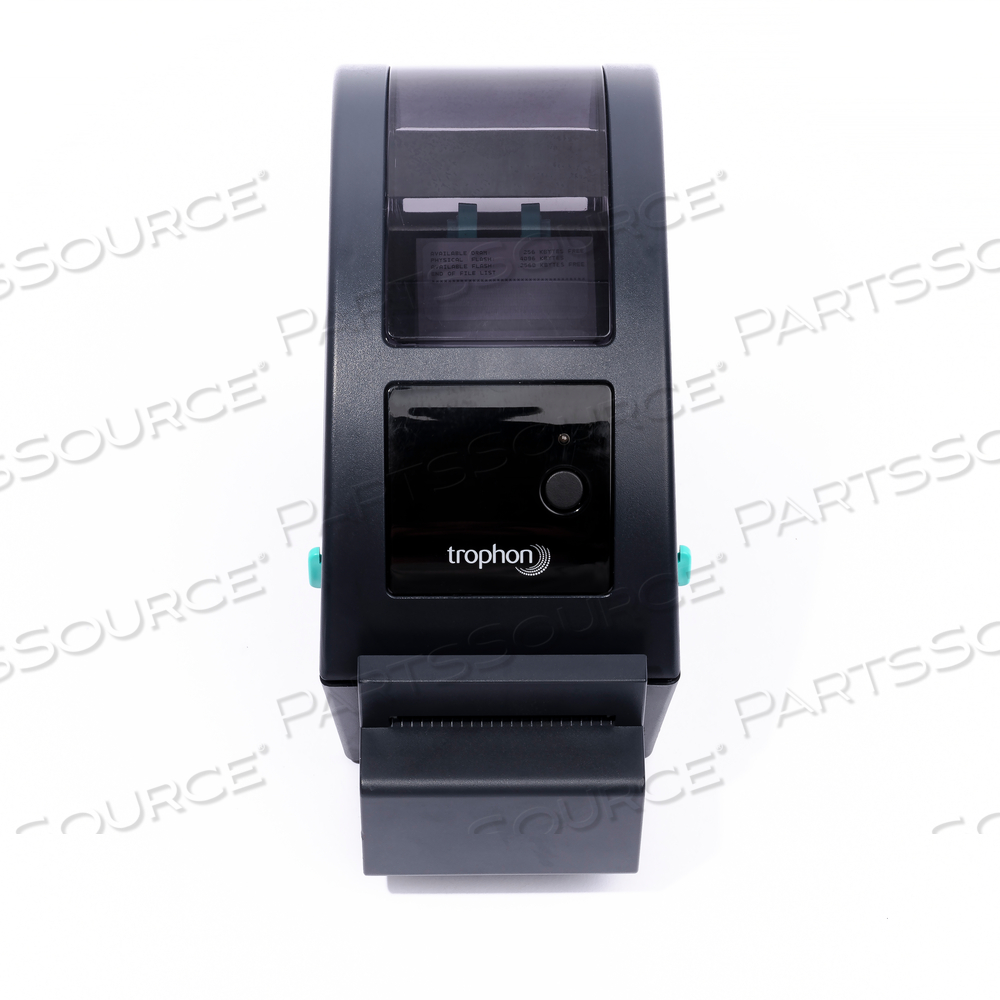
TROPHON PRINTER

 Exchange PurchaseExchange Purchase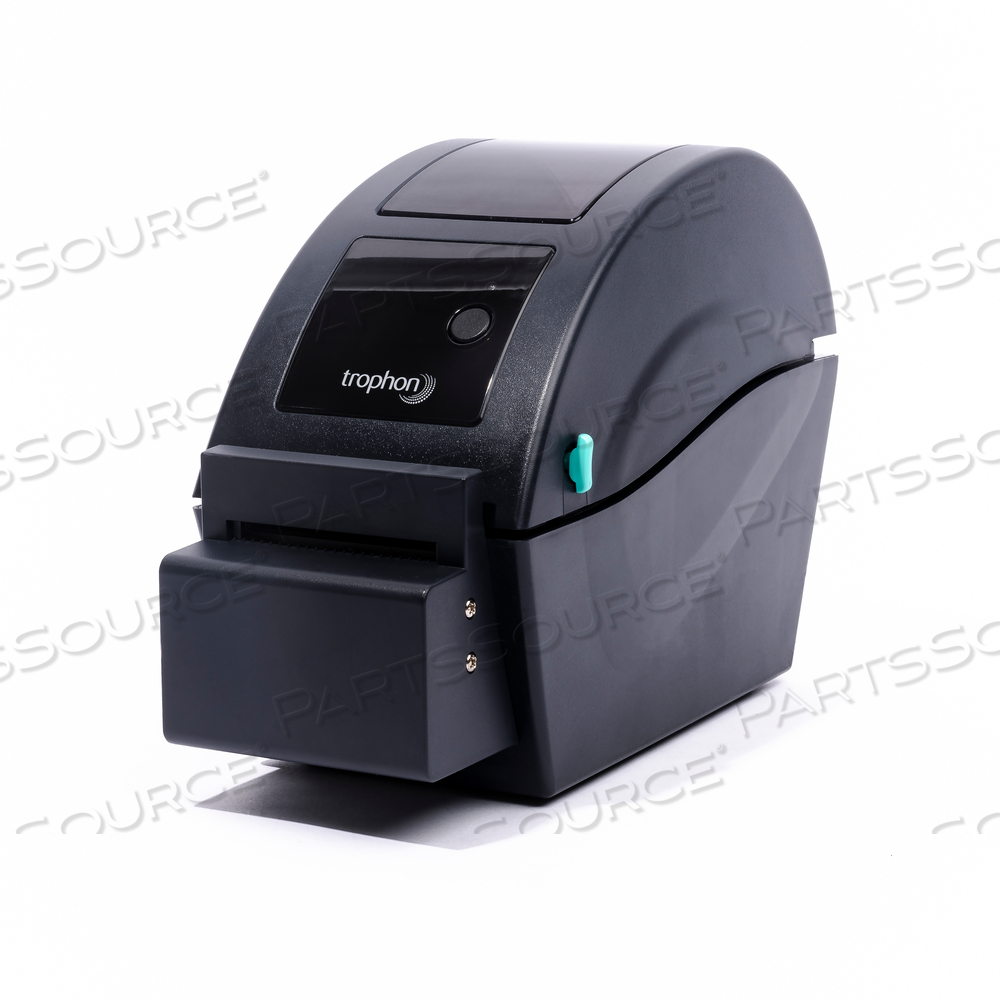
Replaces Nanosonics N00048-NNATROPHON PRINTER
 Exchange
Goods sold on an "Exchange" basis require that Buyer return a like, repairable item within 15 days (or the seller's specified time frame) in order to receive the price quoted. For full details, see Terms and Conditions.
Refurbished product is for printer only, no AC Adapter is included.
The trophon Printer provides an easy solution for high-level disinfection traceability and documentation. Designed for use specifically with the trophon EPR, it generates an adhesive label detailing the results of each disinfection cycle for inclusion in patient records and quality assurance systems.
Up to four labels can be selected and printed after each disinfection cycle is completed. The results of each cycle (pass or fail) are presented in a clear, illustrative format on the label, minimising the risk of misinterpretation. The user can also add further important information such as probe serial number and operator details.
Each high quality, direct thermal adhesive label roll can generate up to 900 labels.
BENEFITS
- Provides a high quality hard copy label
- Simplifies record maintenance
- Ideal for quality assurance systems
- Illustrative, easy-to-read results
- Minimises risk of error
- Seven year print stability
The trophon Printer supports all languages currently available on the trophon EPR.
INSTALLING YOUR TROPHON PRINTER
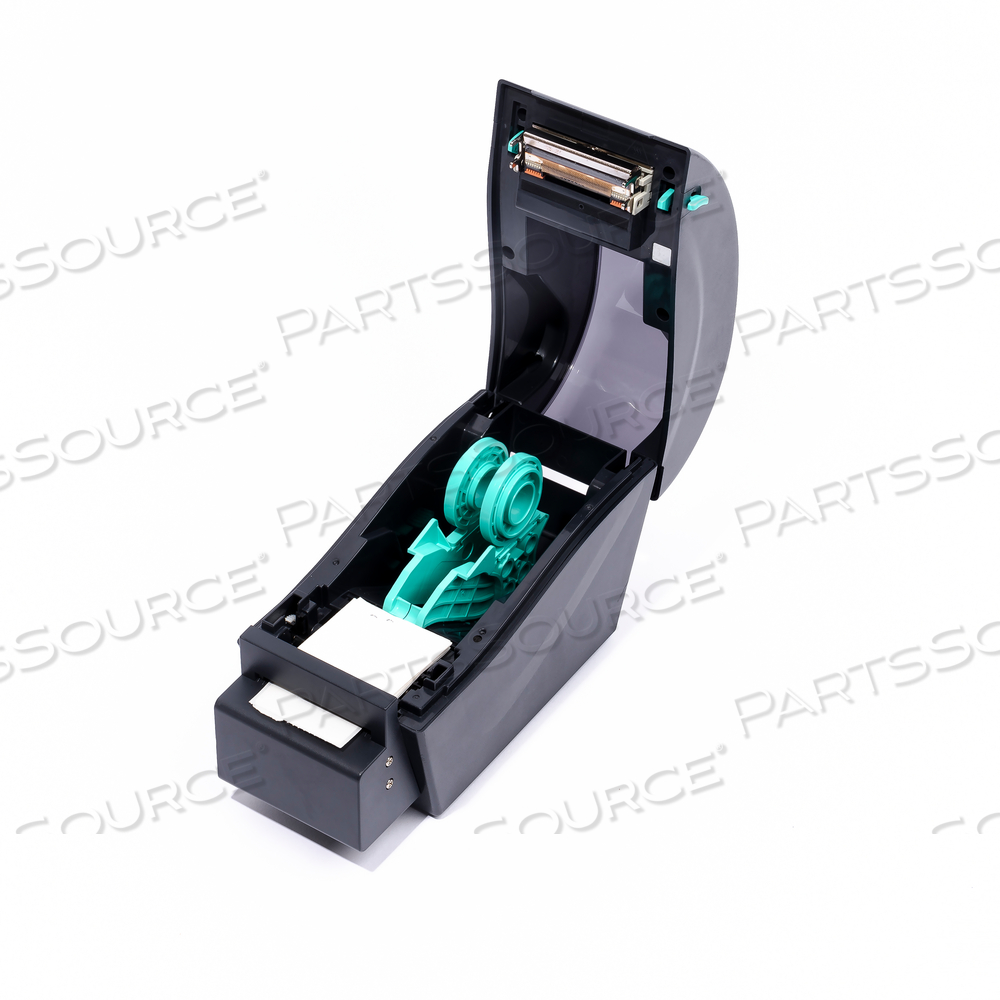
Load the label roll in the trophon Printer as per the quick reference guide. Connect the trophon Printer unit to the trophon EPR using the supplied printer cable. Connect the trophon Printer to a source of electrical power using the supplied power cable. Turn the printer on. Operate as per instructions.
Some existing trophon EPR units will require a simple firmware upgrade to ensure compatibility with the printer. Please contact your trophon EPR representative for further information.
The trophon Printer provides an easy solution for high-level disinfection traceability and documentation. Designed for use specifically with the trophon EPR, it generates an adhesive label detailing the results of each disinfection cycle for inclusion in patient records and quality assurance systems.
Up to four labels can be selected and printed after each disinfection cycle is completed. The results of each cycle (pass or fail) are presented in a clear, illustrative format on the label, minimising the risk of misinterpretation. The user can also add further important information such as probe serial number and operator details.
Each high quality, direct thermal adhesive label roll can generate up to 900 labels.
BENEFITS
- Provides a high quality hard copy label
- Simplifies record maintenance
- Ideal for quality assurance systems
- Illustrative, easy-to-read results
- Minimises risk of error
- Seven year print stability
The trophon Printer supports all languages currently available on the trophon EPR.
INSTALLING YOUR TROPHON PRINTER
Load the label roll in the trophon Printer as per the quick reference guide. Connect the trophon Printer unit to the trophon EPR using the supplied printer cable. Connect the trophon Printer to a source of electrical power using the supplied power cable. Turn the printer on. Operate as per instructions.
Some existing trophon EPR units will require a simple firmware upgrade to ensure compatibility with the printer. Please contact your trophon EPR representative for further information.
- Nanosonics
- TROPHON EPR
- TROPHON2
- TROPHON3
The trophon Printer provides an easy solution for high-level disinfection traceability and documentation. Designed for use specifically with the trophon EPR, it generates an adhesive label detailing the results of each disinfection cycle for inclusion in patient records and quality assurance systems.
Up to four labels can be selected and printed after each disinfection cycle is completed. The results of each cycle (pass or fail) are presented in a clear, illustrative format on the label, minimising the risk of misinterpretation. The user can also add further important information such as probe serial number and operator details.
Each high quality, direct thermal adhesive label roll can generate up to 900 labels.
BENEFITS
- Provides a high quality hard copy label
- Simplifies record maintenance
- Ideal for quality assurance systems
- Illustrative, easy-to-read results
- Minimises risk of error
- Seven year print stability
The trophon Printer supports all languages currently available on the trophon EPR.
INSTALLING YOUR TROPHON PRINTER
Load the label roll in the trophon Printer as per the quick reference guide. Connect the trophon Printer unit to the trophon EPR using the supplied printer cable. Connect the trophon Printer to a source of electrical power using the supplied power cable. Turn the printer on. Operate as per instructions.
Some existing trophon EPR units will require a simple firmware upgrade to ensure compatibility with the printer. Please contact your trophon EPR representative for further information.
The trophon Printer provides an easy solution for high-level disinfection traceability and documentation. Designed for use specifically with the trophon EPR, it generates an adhesive label detailing the results of each disinfection cycle for inclusion in patient records and quality assurance systems.
Up to four labels can be selected and printed after each disinfection cycle is completed. The results of each cycle (pass or fail) are presented in a clear, illustrative format on the label, minimising the risk of misinterpretation. The user can also add further important information such as probe serial number and operator details.
Each high quality, direct thermal adhesive label roll can generate up to 900 labels.
BENEFITS
- Provides a high quality hard copy label
- Simplifies record maintenance
- Ideal for quality assurance systems
- Illustrative, easy-to-read results
- Minimises risk of error
- Seven year print stability
The trophon Printer supports all languages currently available on the trophon EPR.
INSTALLING YOUR TROPHON PRINTER
Load the label roll in the trophon Printer as per the quick reference guide. Connect the trophon Printer unit to the trophon EPR using the supplied printer cable. Connect the trophon Printer to a source of electrical power using the supplied power cable. Turn the printer on. Operate as per instructions.
Some existing trophon EPR units will require a simple firmware upgrade to ensure compatibility with the printer. Please contact your trophon EPR representative for further information.
- Nanosonics
- TROPHON EPR
- TROPHON2
- TROPHON3
The trophon Printer provides an easy solution for high-level disinfection traceability and documentation. Designed for use specifically with the trophon EPR, it generates an adhesive label detailing the results of each disinfection cycle for inclusion in patient records and quality assurance systems.
Up to four labels can be selected and printed after each disinfection cycle is completed. The results of each cycle (pass or fail) are presented in a clear, illustrative format on the label, minimising the risk of misinterpretation. The user can also add further important information such as probe serial number and operator details.
Each high quality, direct thermal adhesive label roll can generate up to 900 labels.
BENEFITS
- Provides a high quality hard copy label
- Simplifies record maintenance
- Ideal for quality assurance systems
- Illustrative, easy-to-read results
- Minimises risk of error
- Seven year print stability
The trophon Printer supports all languages currently available on the trophon EPR.
INSTALLING YOUR TROPHON PRINTER
Load the label roll in the trophon Printer as per the quick reference guide. Connect the trophon Printer unit to the trophon EPR using the supplied printer cable. Connect the trophon Printer to a source of electrical power using the supplied power cable. Turn the printer on. Operate as per instructions.
Some existing trophon EPR units will require a simple firmware upgrade to ensure compatibility with the printer. Please contact your trophon EPR representative for further information.
The trophon Printer provides an easy solution for high-level disinfection traceability and documentation. Designed for use specifically with the trophon EPR, it generates an adhesive label detailing the results of each disinfection cycle for inclusion in patient records and quality assurance systems.
Up to four labels can be selected and printed after each disinfection cycle is completed. The results of each cycle (pass or fail) are presented in a clear, illustrative format on the label, minimising the risk of misinterpretation. The user can also add further important information such as probe serial number and operator details.
Each high quality, direct thermal adhesive label roll can generate up to 900 labels.
BENEFITS
- Provides a high quality hard copy label
- Simplifies record maintenance
- Ideal for quality assurance systems
- Illustrative, easy-to-read results
- Minimises risk of error
- Seven year print stability
The trophon Printer supports all languages currently available on the trophon EPR.
INSTALLING YOUR TROPHON PRINTER
Load the label roll in the trophon Printer as per the quick reference guide. Connect the trophon Printer unit to the trophon EPR using the supplied printer cable. Connect the trophon Printer to a source of electrical power using the supplied power cable. Turn the printer on. Operate as per instructions.
Some existing trophon EPR units will require a simple firmware upgrade to ensure compatibility with the printer. Please contact your trophon EPR representative for further information.
- Nanosonics
- TROPHON EPR
- TROPHON2
- TROPHON3