
Replaces BpTRU Medical Devices BPM-300-35New Aftermarket Outright
10 VOLT BPTRU 200/300 POWER SUPPLY
Your price:
$112.01 each
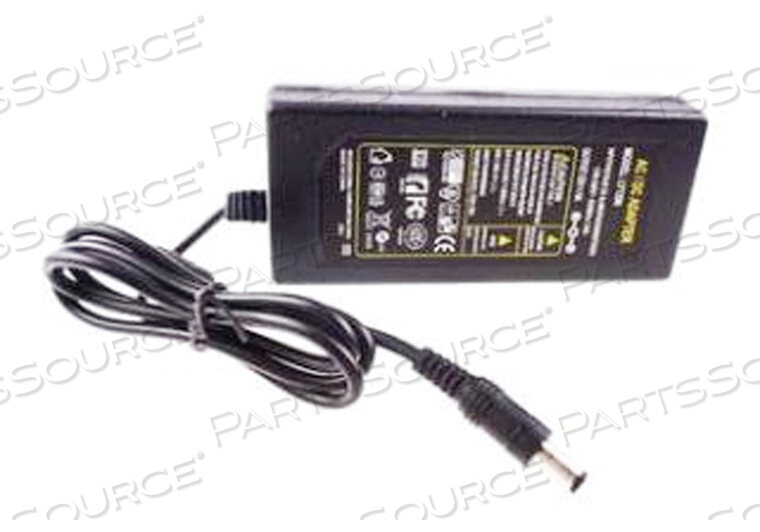
Replaces BpTRU Medical Devices BPM-300-3510 VOLT BPTRU 200/300 POWER SUPPLY
New Aftermarket Outright
Your price:
$112.01 each
Asset Information
Are you an existing customer? Sign in to access your account.
ADD TO LIST
Product Overview
- There is a green light on the front of the monitor when it is turned on
- Sometimes when the battery has failed it will affect the operation of the monitor even when plugged into a wall outlet
- Open the back and disconnect (or remove) the battery, plug the monitor into a wall outlet and confirm that the monitor is working properly
- The monitor does not need to have the battery installed in order to work when plugged into the wall via the power cord
- If it works fine then it is most likely they just need a new battery
Features
- There is a green light on the front of the monitor when it is turned on
- Sometimes when the battery has failed it will affect the operation of the monitor even when plugged into a wall outlet
- Open the back and disconnect (or remove) the battery, plug the monitor into a wall outlet and confirm that the monitor is working properly
- The monitor does not need to have the battery installed in order to work when plugged into the wall via the power cord
- If it works fine then it is most likely they just need a new battery
Technical Specs
P/N: BPM-300-35 Key Specs
Item
10 VOLT BPTRU 200/300 POWER SUPPLY
OEM
BpTRU Medical Devices
OEM #
BPM-300-35
Condition
New Aftermarket
Returnable
No
Warranty
12 Month
Color
Black
Voltage Rating
10 V
Volts
10 V
Fitments
- There is a green light on the front of the monitor when it is turned on
- Sometimes when the battery has failed it will affect the operation of the monitor even when plugged into a wall outlet
- Open the back and disconnect (or remove) the battery, plug the monitor into a wall outlet and confirm that the monitor is working properly
- The monitor does not need to have the battery installed in order to work when plugged into the wall via the power cord
- If it works fine then it is most likely they just need a new battery
- BpTRU Medical Devices
- BPTRU 200
- BPTRU 300
Product Overview
- There is a green light on the front of the monitor when it is turned on
- Sometimes when the battery has failed it will affect the operation of the monitor even when plugged into a wall outlet
- Open the back and disconnect (or remove) the battery, plug the monitor into a wall outlet and confirm that the monitor is working properly
- The monitor does not need to have the battery installed in order to work when plugged into the wall via the power cord
- If it works fine then it is most likely they just need a new battery
Features
- There is a green light on the front of the monitor when it is turned on
- Sometimes when the battery has failed it will affect the operation of the monitor even when plugged into a wall outlet
- Open the back and disconnect (or remove) the battery, plug the monitor into a wall outlet and confirm that the monitor is working properly
- The monitor does not need to have the battery installed in order to work when plugged into the wall via the power cord
- If it works fine then it is most likely they just need a new battery
Technical Specs
P/N: BPM-300-35 Key Specs
Item
10 VOLT BPTRU 200/300 POWER SUPPLY
OEM
BpTRU Medical Devices
OEM #
BPM-300-35
Condition
New Aftermarket
Returnable
No
Warranty
12 Month
Color
Black
Voltage Rating
10 V
Volts
10 V
Fitments
- There is a green light on the front of the monitor when it is turned on
- Sometimes when the battery has failed it will affect the operation of the monitor even when plugged into a wall outlet
- Open the back and disconnect (or remove) the battery, plug the monitor into a wall outlet and confirm that the monitor is working properly
- The monitor does not need to have the battery installed in order to work when plugged into the wall via the power cord
- If it works fine then it is most likely they just need a new battery
- BpTRU Medical Devices
- BPTRU 200
- BPTRU 300
Product Overview
- There is a green light on the front of the monitor when it is turned on
- Sometimes when the battery has failed it will affect the operation of the monitor even when plugged into a wall outlet
- Open the back and disconnect (or remove) the battery, plug the monitor into a wall outlet and confirm that the monitor is working properly
- The monitor does not need to have the battery installed in order to work when plugged into the wall via the power cord
- If it works fine then it is most likely they just need a new battery
Features
- There is a green light on the front of the monitor when it is turned on
- Sometimes when the battery has failed it will affect the operation of the monitor even when plugged into a wall outlet
- Open the back and disconnect (or remove) the battery, plug the monitor into a wall outlet and confirm that the monitor is working properly
- The monitor does not need to have the battery installed in order to work when plugged into the wall via the power cord
- If it works fine then it is most likely they just need a new battery
Technical Specs
P/N: BPM-300-35 Key Specs
Item
10 VOLT BPTRU 200/300 POWER SUPPLY
OEM
BpTRU Medical Devices
OEM #
BPM-300-35
Condition
New Aftermarket
Returnable
No
Warranty
12 Month
Color
Black
Voltage Rating
10 V
Volts
10 V
Fitments
- There is a green light on the front of the monitor when it is turned on
- Sometimes when the battery has failed it will affect the operation of the monitor even when plugged into a wall outlet
- Open the back and disconnect (or remove) the battery, plug the monitor into a wall outlet and confirm that the monitor is working properly
- The monitor does not need to have the battery installed in order to work when plugged into the wall via the power cord
- If it works fine then it is most likely they just need a new battery
- BpTRU Medical Devices
- BPTRU 200
- BPTRU 300