
Repair
NON-ANESTHETIC CALIBRATION GAS
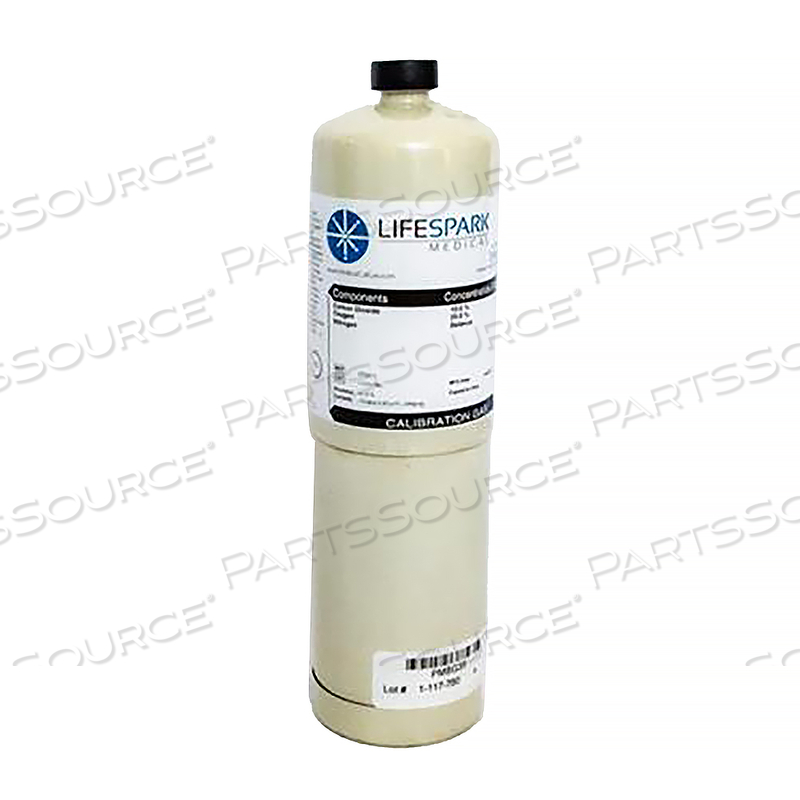
NON-ANESTHETIC CALIBRATION GAS
Product Overview
The calibration procedure is relatively simple and should be performed once per year.
- Connect the Calibration Kit to the MGA-IR Sidestream CO2 Module and Sensor
- Under Set Barometric Pressure enter the current pressure by using the up and down arrows
- The slide bar or touching the keypad icon and entering the pressure from the keypad pop-up
- Disconnect the calibration adapter from the tubing and move adapter through room air to induce 0% CO2
- Under Calibrate Module select Start Calibration. The text on this button changes to Abort Calibration
- The Module Status window displays the messages Calibrating and Press button when 0% CO2 is supplied
Technical Specs
P/N: 405910-001 Key Specs
Item
NON-ANESTHETIC CALIBRATION GAS
OEM
GE Medical Systems Information Technology (GEMSIT)
OEM #
405910-001
Returnable
No
Warranty
Product Type
Calibration Gas
Equivalents
The calibration procedure is relatively simple and should be performed once per year.
- Connect the Calibration Kit to the MGA-IR Sidestream CO2 Module and Sensor
- Under Set Barometric Pressure enter the current pressure by using the up and down arrows
- The slide bar or touching the keypad icon and entering the pressure from the keypad pop-up
- Disconnect the calibration adapter from the tubing and move adapter through room air to induce 0% CO2
- Under Calibrate Module select Start Calibration. The text on this button changes to Abort Calibration
- The Module Status window displays the messages Calibrating and Press button when 0% CO2 is supplied
- 405910-001: Marquette (GEMSIT): Canonical Redirect
- 405910-001: GE Healthcare: Canonical Redirect
Product Overview
The calibration procedure is relatively simple and should be performed once per year.
- Connect the Calibration Kit to the MGA-IR Sidestream CO2 Module and Sensor
- Under Set Barometric Pressure enter the current pressure by using the up and down arrows
- The slide bar or touching the keypad icon and entering the pressure from the keypad pop-up
- Disconnect the calibration adapter from the tubing and move adapter through room air to induce 0% CO2
- Under Calibrate Module select Start Calibration. The text on this button changes to Abort Calibration
- The Module Status window displays the messages Calibrating and Press button when 0% CO2 is supplied
Technical Specs
P/N: 405910-001 Key Specs
Item
NON-ANESTHETIC CALIBRATION GAS
OEM
GE Medical Systems Information Technology (GEMSIT)
OEM #
405910-001
Returnable
No
Warranty
Product Type
Calibration Gas
Equivalents
The calibration procedure is relatively simple and should be performed once per year.
- Connect the Calibration Kit to the MGA-IR Sidestream CO2 Module and Sensor
- Under Set Barometric Pressure enter the current pressure by using the up and down arrows
- The slide bar or touching the keypad icon and entering the pressure from the keypad pop-up
- Disconnect the calibration adapter from the tubing and move adapter through room air to induce 0% CO2
- Under Calibrate Module select Start Calibration. The text on this button changes to Abort Calibration
- The Module Status window displays the messages Calibrating and Press button when 0% CO2 is supplied
- 405910-001: Marquette (GEMSIT): Canonical Redirect
- 405910-001: GE Healthcare: Canonical Redirect
Product Overview
The calibration procedure is relatively simple and should be performed once per year.
- Connect the Calibration Kit to the MGA-IR Sidestream CO2 Module and Sensor
- Under Set Barometric Pressure enter the current pressure by using the up and down arrows
- The slide bar or touching the keypad icon and entering the pressure from the keypad pop-up
- Disconnect the calibration adapter from the tubing and move adapter through room air to induce 0% CO2
- Under Calibrate Module select Start Calibration. The text on this button changes to Abort Calibration
- The Module Status window displays the messages Calibrating and Press button when 0% CO2 is supplied
Technical Specs
P/N: 405910-001 Key Specs
Item
NON-ANESTHETIC CALIBRATION GAS
OEM
GE Medical Systems Information Technology (GEMSIT)
OEM #
405910-001
Returnable
No
Warranty
Product Type
Calibration Gas
Equivalents
The calibration procedure is relatively simple and should be performed once per year.
- Connect the Calibration Kit to the MGA-IR Sidestream CO2 Module and Sensor
- Under Set Barometric Pressure enter the current pressure by using the up and down arrows
- The slide bar or touching the keypad icon and entering the pressure from the keypad pop-up
- Disconnect the calibration adapter from the tubing and move adapter through room air to induce 0% CO2
- Under Calibrate Module select Start Calibration. The text on this button changes to Abort Calibration
- The Module Status window displays the messages Calibrating and Press button when 0% CO2 is supplied
- 405910-001: Marquette (GEMSIT): Canonical Redirect
- 405910-001: GE Healthcare: Canonical Redirect